The pipeline
What actually happens to your file.
You upload a FITS file and get a finished photo back. This is what happens in between — every stage, in order, with where each one falls short.
Two open-source projects do the heavy lifting: Siril for stacking and stretching, and GraXpert for gradient removal and denoising. Both are free and excellent; Stelora is for when you'd rather not drive them yourself.
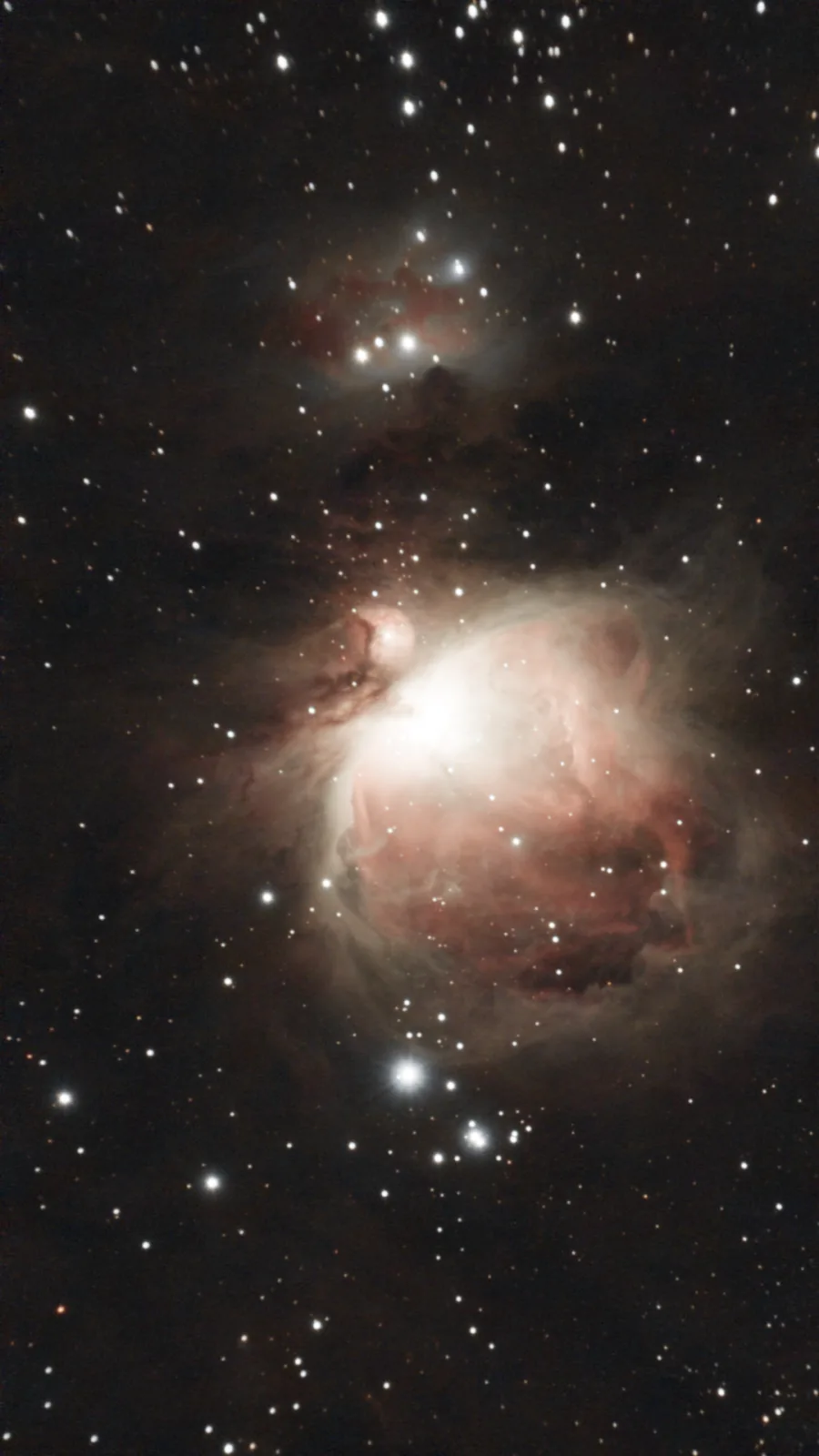 Raw capture Finished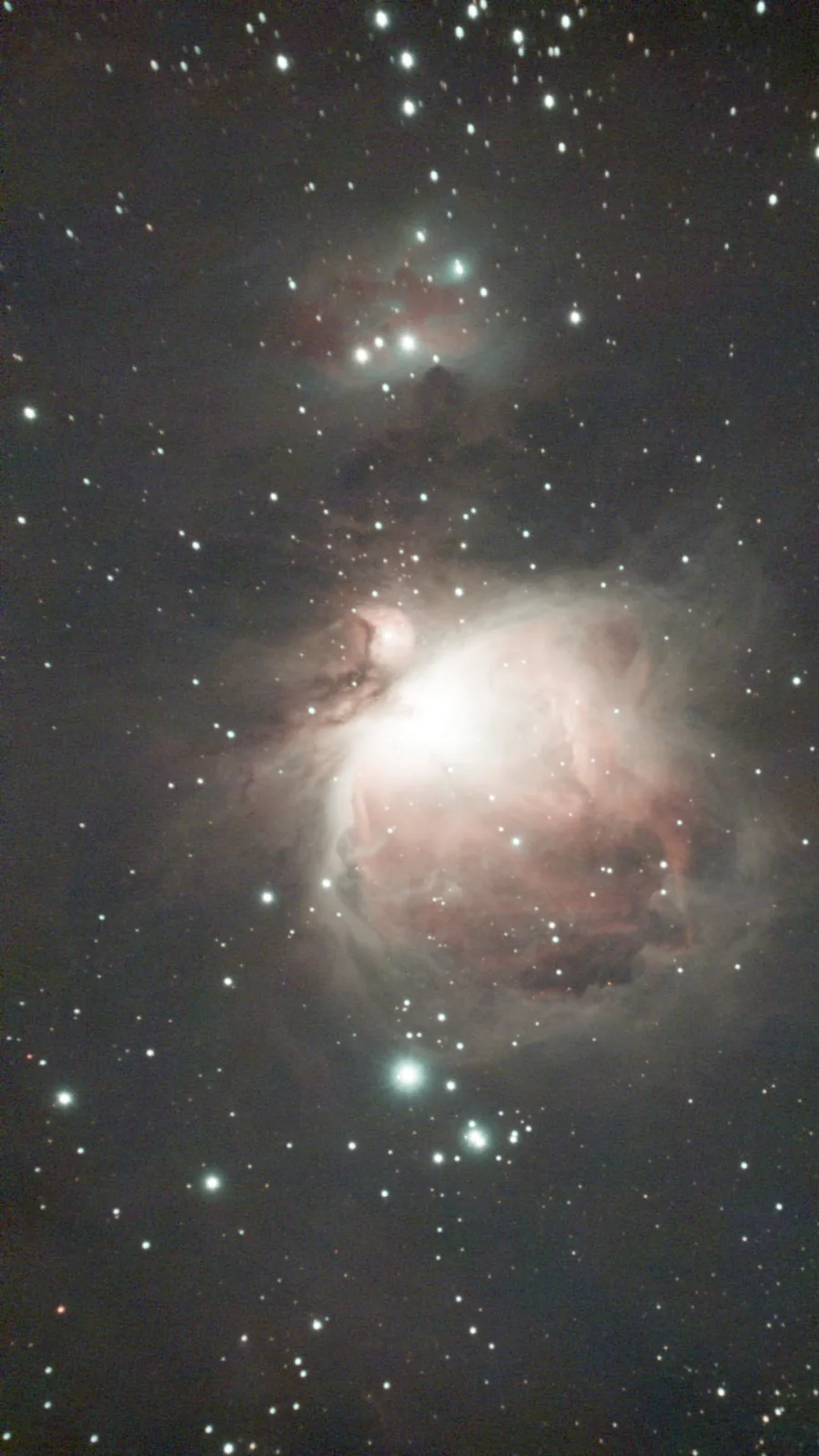
↔ The whole pipeline, in one drag
Example data: AbdurAstro (free Seestar practice data)
01
Load — and stack, if you sent raw subs
A stacked file loads straight in; raw subs get registered and sigma-clip stacked by Siril first, which throws out satellite trails frame by frame. Colour data is debayered, and the black borders stacking leaves are cropped off.
Dwarf 3 stacked FITS work too — send the Mega Stack output, not the individual subs.
The pipeline also measures whether the file is still linear — newer Seestar firmware sometimes exports pre-stretched files, and treating one as raw data breaks the colour stages further down.
Seestar files are what the pipeline was built and tuned on; Dwarf 3 has been through it once, on one stacked file. The pipeline reads geometry from the FITS headers and rejects what it can't read — I won't claim something works that I've never tested.
02
Gradient removal
Streetlights, the moon and the horizon glow put a slow ramp of brightness across the frame, and stretching amplifies it into an orange wash. GraXpert's background extraction models that ramp and subtracts it — most of the difference in the slider above is this stage.
A background model can't always tell faint outer nebulosity from gradient, so the faintest edges of a big object can lose a little to it. And if GraXpert fails on a frame, the image passes through unchanged instead of failing your job — you still get a picture, just a less flat one.
03
Denoise
A Seestar collects light through a small lens, often for under an hour, so the faint end of the frame is mostly sensor noise. GraXpert's machine-learning denoiser runs on the still-linear data, where noise still behaves like noise.
Denoising is a trade: clean the sky and some real, very faint texture goes with it. The strength is fixed, validated on real captures — a patient human would beat it on some frames. If the model can't run, Siril's denoise takes over instead of skipping.
04
White balance, measured on the stars
Raw stacks arrive with a colour cast — unequal channel sensitivity, plus whatever the light pollution tints. The pipeline measures the average colour of the stars (hundreds on a typical frame) above the local sky and derives one gain per channel so the star population comes out neutral.
It only applies when the measurement is statistically solid; too few stars, or a pre-stretched file, and it falls back to a standard green-removal step rather than guessing. The assumption is that a wide star field averages near white — a frame dominated by a few very red stars bends it.
05
Stretch
Linear astro data looks almost black on a screen — the signal lives in a sliver just above the noise floor. The stretch maps it into visible range with one linked curve across all three channels. The target adapts to the frame: a sparse star field gets a dark sky, an object that fills the field gets more room so it isn't crushed toward black. A pre-stretched file keeps its own tone curve.
This is where a skilled human wins clearest: a patient, hand-tuned stretch in Siril or PixInsight beats one global curve — and probably always will.
06
Saturation, star colour, local contrast
A modest saturation boost brings back the colour the stretch compressed. Then the pipeline measures star-core colour at every stage and corrects the drift the stretch itself introduces, so stars keep their natural colour. Last, a local contrast pass on brightness only — dust lanes and galaxy arms stand out, and colour is untouched.
Both corrections are capped. A strong cast gets reduced, not erased, because an automatic correction that misreads a frame does more damage than the cast did.
07
Out
A 16-bit PNG behind the Download button, a lighter JPEG for the browser, and a "before" render on exactly the same pixel grid — same crop, same scale, only the processing differs, which is what keeps the comparison slider honest.
The inline preview is 8-bit JPEG, so if you care about the file beyond sharing it, take the PNG.
If you want to show it to somebody, "Share" turns the comparison into a link anyone can open — the two images, the target name and your exposure time, and nothing that says who you are — and "Unshare" takes it down again.
Where this honestly stands
If you already process well in Siril or PixInsight, keep doing that — skilled manual processing beats this pipeline. The point of Stelora is a good, shareable image from tonight's capture in one tap, on your phone, with nothing installed. Every change is in the changelog, and the version that processed your image is stamped on the job.